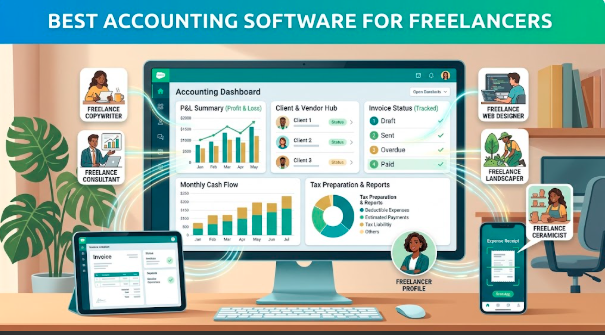
Freelancing gives you freedom over where you work, who you work with, and how you manage your schedule. But there is one part of freelancing that most people would happily avoid: keeping the finances organized.
Invoices need to be sent. Expenses need to be recorded. Payments need to be tracked. Tax documents need to be kept in order. And when several clients are paying at different times, trying to manage everything from a spreadsheet can quickly become frustrating.
That’s where accounting software can help.
The right accounting platform can take some of the routine work out of managing freelance finances. Instead of searching through emails and bank statements at the end of the month, you can keep invoices, income, expenses, and financial records in one place.
What Should Freelancers Look for in Accounting Software?
Freelancers usually don’t need the same accounting system as a large company.
A good freelance accounting tool should be relatively easy to set up and should focus on the things independent workers actually need.
Important features can include:
- Invoicing and payment tracking
- Income and expense management
- Bank account connections
- Receipt storage
- Financial reports
- Tax-related records
- Recurring invoices
- Payment reminders
- Mobile access
- Integration with other business tools
Price is important too. Paying for a long list of features you never use doesn’t make much sense when you’re running a one-person business.
Best Accounting Software for Freelancers
Different freelancers have different requirements. A designer who sends five invoices a month may need something much simpler than a consultant managing dozens of clients.
Here are several options worth considering.
1. QuickBooks Online
QuickBooks Online is one of the most established names in small-business accounting.
For freelancers who want more than basic invoicing, it provides tools for tracking income and expenses, creating invoices, monitoring cash flow, and generating financial reports.
It can also grow with you. If your freelance operation eventually becomes an agency or small company, you may not need to completely change systems.
The downside is that some freelancers may find the platform more extensive than they actually need.
Best for: Freelancers who want a full accounting system with room to grow.
2. FreshBooks
FreshBooks has long been popular with freelancers and service-based businesses.
Its interface focuses heavily on invoicing, time tracking, expenses, and client management. This makes it particularly useful for professionals who bill clients for their time or project work.
For example, a freelance designer can track project hours, add expenses, create an invoice, and monitor whether the client has paid.
Best for: Freelancers who want simple invoicing and time tracking alongside accounting features.
3. Wave
Wave is worth considering if keeping costs low is a major priority.
It provides tools designed around small businesses and independent workers, including invoicing and financial management features. Its straightforward approach can make it appealing to freelancers who don’t want a complicated accounting platform.
As with any financial software, check the current pricing and availability of specific features in your country before choosing a plan.
Best for: Freelancers looking for a budget-conscious accounting solution.
4. Xero
Xero is another established accounting platform used by small businesses and independent professionals.
It offers tools for invoicing, expense management, bank reconciliation, financial reporting, and other accounting tasks.
One of its strengths is its broader ecosystem of integrations, which can be useful when your freelance business starts relying on several different applications.
Best for: Freelancers who want flexible accounting features and strong integration options.
5. Zoho Books
Zoho Books can be a good option for freelancers who want accounting software that connects with other business tools.
It supports invoicing, expense tracking, banking, reporting, and other accounting functions. It can be especially convenient for people already using other products from the Zoho ecosystem.
Its range of features also means it can remain useful if a freelance operation becomes more structured over time.
Best for: Freelancers who want accounting alongside a broader business software ecosystem.
6. Bonsai
Bonsai takes a slightly different approach by combining several freelance business functions in one platform.
Instead of focusing exclusively on accounting, it can bring together proposals, contracts, invoicing, payments, time tracking, and client management.
That can be useful for freelancers who want to manage the entire client relationship from one place rather than jumping between multiple applications.
Best for: Freelancers who want financial tools combined with contracts, proposals, and client management.
Why Freelancers Should Separate Business and Personal Money
One of the easiest ways to make freelance accounting harder is to mix personal and business transactions.
When everything comes from the same bank account, figuring out which purchases were business expenses can become a tedious job.
Having a separate business account can make it much easier to:
- Track freelance income
- Identify business expenses
- Review cash flow
- Prepare financial records
- Share information with an accountant
- Understand how much the business is actually earning
The exact banking and tax requirements depend on where you live, so it’s worth checking local rules or speaking with a qualified professional.
Don’t Wait Until Tax Season
A common freelance habit is to ignore financial records for months and then try to organize everything when taxes are due.
That approach can turn a small administrative job into a major headache.
Spending a few minutes each week categorizing expenses and checking invoices can make the end of the year much easier.
Your accounting software can help, but it still needs accurate information.
Save receipts. Check transactions. Follow up on overdue invoices. Keep records of business expenses.
Small habits are much easier than a financial cleanup marathon later.
How to Choose the Right Accounting Software
Before subscribing to a platform, think about how you actually work.
If you send only a few invoices each month, you may not need an advanced accounting system.
If you work with international clients, payment options and currency support may matter more.
If you bill by the hour, time tracking could be essential.
If you regularly work with an accountant, look for easy ways to share financial information.
Consider these questions:
- How many clients do I have?
- How often do I send invoices?
- Do I track time for clients?
- Do I need to monitor expenses?
- Do I receive payments in different currencies?
- Will I need tax reports?
- Does my accountant use a particular platform?
- Could my business grow significantly over the next few years?
The answers can quickly narrow down your options.
Free vs. Paid Accounting Software
A free plan can be perfectly adequate for a freelancer with straightforward finances.
But free doesn’t always mean better.
A paid plan may save you considerable time through automation, bank connections, recurring invoices, better reporting, or additional integrations.
Instead of asking whether software is free, consider whether it saves enough time to justify its price.
If a $20 monthly subscription saves several hours of administrative work, it may be a reasonable business expense.
Final Thoughts
Accounting doesn’t have to become the most complicated part of freelancing.
QuickBooks Online and Xero are strong choices for freelancers who want comprehensive accounting tools. FreshBooks focuses heavily on freelancers and client billing, while Wave can appeal to people looking for a lower-cost option. Zoho Books and Bonsai offer useful alternatives for freelancers who want broader business-management capabilities.
The right choice ultimately depends on how you earn, bill, spend, and manage your freelance business.
Start with the features you genuinely need rather than buying the platform with the longest feature list.
When your income, expenses, invoices, and records are organized from the beginning, you can spend less time worrying about paperwork and more time doing the work that actually pays you.