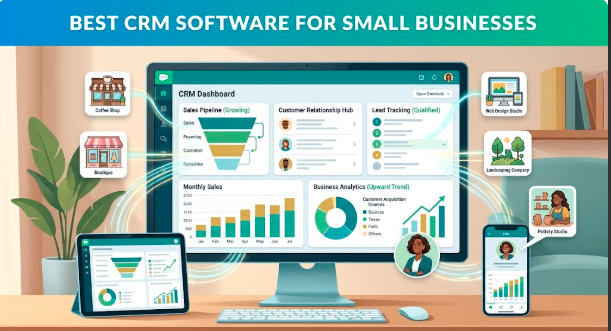
Keeping track of customers sounds simple when a business is small. You might have a spreadsheet, a few email folders, and a good memory to remember who contacted you last week.
Then the business starts growing.
Suddenly, there are more leads, more conversations, more follow-ups, and more customer information to manage. A potential customer gets forgotten because their email was buried in an inbox. Someone on the team doesn’t know what was discussed during the last call. Another customer receives a follow-up that should have been sent days earlier.
This is where CRM software can make a real difference.
A customer relationship management system gives a business one place to organize contacts, sales opportunities, conversations, tasks, and follow-ups. The right CRM doesn’t just store names and phone numbers. It helps a small team understand what is happening with its customers and what needs attention next.
What Is CRM Software?
CRM stands for Customer Relationship Management.
In simple terms, CRM software helps businesses keep customer information and sales activity organized.
Instead of keeping customer details across spreadsheets, notebooks, emails, and separate apps, a CRM brings much of that information together.
Depending on the platform, you may be able to:
- Store customer and company information
- Track leads and sales opportunities
- Record calls and emails
- Schedule follow-up tasks
- Create sales pipelines
- Send marketing messages
- Generate sales reports
- Automate repetitive tasks
- Manage customer support
For a small business, this can turn customer management from a messy process into something much easier to follow.
Best CRM Software for Small Businesses
There isn’t one CRM that works perfectly for every company. A freelancer, online store, local service company, and growing sales team can have very different needs.
Here are several popular options worth considering.
1. HubSpot CRM
HubSpot is one of the better-known choices for small businesses because it combines customer management with sales, marketing, and service tools.
Its CRM can help businesses organize contacts, track deals, manage communication, and monitor the sales pipeline. Businesses can start with basic CRM features and add additional tools as their needs become more complex.
One advantage is that a small team can begin with a relatively simple setup instead of immediately building a complicated CRM system.
Best for: Small businesses that want CRM, sales, marketing, and customer-service tools in one ecosystem.
2. Zoho CRM
Zoho CRM is another popular option for businesses that want a broad set of sales and customer-management features.
It provides tools for managing leads, contacts, deals, workflows, reports, and customer interactions. The platform also fits into the wider Zoho software ecosystem, which can be useful if a company already uses other Zoho products.
For businesses expecting to grow, having access to automation and customization can be valuable.
Best for: Small businesses looking for a flexible CRM with plenty of customization options.
3. Salesforce
Salesforce is widely known as an enterprise CRM, but it also offers products aimed at smaller organizations.
Its strength is the depth of its platform. Businesses can build detailed sales processes, automate workflows, connect applications, and expand their CRM capabilities as the company grows.
The trade-off is that Salesforce can require more time and expertise to configure than a simpler CRM.
Best for: Growing businesses that need a powerful platform and expect their sales operations to become more sophisticated.
4. Pipedrive
Pipedrive takes a sales-focused approach to CRM.
Its visual sales pipeline makes it easy to see where different deals currently stand. For a small sales team, being able to quickly identify new leads, active opportunities, and deals that need follow-up can be extremely useful.
The interface is particularly suited to businesses that want to focus on managing their sales process rather than using a CRM as an all-purpose business platform.
Best for: Sales teams that want a straightforward visual sales pipeline.
5. Freshsales
Freshsales is part of the Freshworks product family and focuses on sales and customer relationship management.
It provides features for managing contacts, leads, deals, communication, and sales activities. Its automation capabilities can help teams reduce some of the repetitive work involved in following up with prospects.
It can be a practical choice for a small business that wants more structure around its sales process without building everything manually.
Best for: Small sales teams that want CRM features combined with sales automation.
6. monday CRM
monday CRM takes a more flexible, workflow-oriented approach.
Businesses can customize how they organize leads, contacts, deals, tasks, and projects. This can be helpful for teams that don’t want their customer-management process to fit into a rigid template.
The platform can also connect CRM activity with other types of work, making it appealing to businesses where sales and project delivery are closely connected.
Best for: Small teams that want a customizable CRM and workflow system.
How Much CRM Software Do You Actually Need?
One common mistake is choosing a CRM because it has hundreds of features.
More features don’t automatically mean a better system.
If your business only needs to store customer information, track leads, and remind staff about follow-ups, a complicated platform may create unnecessary work.
On the other hand, a growing company with several salespeople may need automation, reporting, integrations, permissions, and detailed pipelines.
Start with your actual workflow.
Ask:
How do new customers find us?
Where do we record their information?
How do we follow up?
How do we know which deals are close to being won?
What information does the sales team need?
What happens after someone becomes a customer?
Your answers will tell you more about the CRM you need than a feature comparison page will.
Free CRM vs. Paid CRM
Many CRM providers offer free plans or trials, which can be useful for small businesses that want to test a system before spending money.
A free plan may be enough for a freelancer or very small team. But as the company grows, you may need additional users, automation, reporting, integrations, storage, or advanced features.
Before choosing a free CRM, check what happens when you reach the plan’s limits.
Moving your customer data to another system later can be inconvenient, so it’s worth thinking about future growth from the beginning.
Important CRM Features for Small Businesses
Contact Management
At the most basic level, your CRM should make it easy to find customer information.
You should be able to quickly see who the customer is, how to contact them, and what conversations or activities have already taken place.
Sales Pipeline
A visual sales pipeline can show which prospects are new, which are being contacted, and which are close to becoming customers.
This makes it much easier to see where opportunities are getting stuck.
Follow-Up Reminders
A missed follow-up can mean a lost sale.
CRM reminders can help salespeople remember calls, emails, meetings, and other important tasks.
Automation
Automation can take care of repetitive actions such as assigning leads, sending notifications, updating records, or creating follow-up tasks.
The goal isn’t to automate everything. It’s to remove unnecessary manual work.
Reporting
Reports can help answer important questions.
How many leads came in this month? How many became customers? Which salesperson is closing the most deals? Where are potential customers dropping out?
Even basic reporting can reveal problems that aren’t obvious from looking at individual customer records.
Integrations
Your CRM should ideally work with the other tools your business already uses.
Email, calendars, accounting software, marketing platforms, online forms, customer-support tools, and communication apps can all become more useful when they work together.
How to Choose the Right CRM
Before signing up for a paid plan, make a shortlist of two or three CRM platforms.
Test each one with real examples from your business.
Add a few customers. Create a sample deal. Set a follow-up task. Try generating a report. Connect an email account if appropriate.
Pay attention to how quickly your team understands the system.
A CRM that looks impressive but takes weeks to learn may be less useful than a simpler platform your employees can comfortably use every day.
Final Thoughts
The best CRM software for a small business is the one that helps the team stay organized without becoming another complicated task to manage.
HubSpot can be a strong choice for businesses wanting a broad business platform. Zoho offers flexibility and customization. Pipedrive focuses heavily on sales pipelines, while Salesforce provides room for companies with more complex requirements. Freshsales and monday CRM offer other approaches for teams looking for sales automation or customizable workflows.
Before making a decision, consider your budget, team size, sales process, required integrations, and future growth.
Most importantly, choose a system your team will actually use.
A simple CRM filled with accurate information is far more valuable than an expensive platform that nobody updates.